
Know what changed. Know what needs attention.
SignalGuard turns sequential sensor data into a clear condition picture — helping engineers detect unusual behavior, compare current data with a known-normal reference, and focus on the events that deserve attention.
Use the data you already have.
SignalGuard adapts to two common engineering situations without making the user build a custom pipeline first.
Check this data for changes over time
Use a single sequential dataset when you want to know whether the signal behavior has shifted, drifted or developed unusual events.
Compare current data with a normal reference
Use a known-normal or healthy reference when you want to compare present behavior against a condition you trust.
Install. Load data. Analyze. Compare. Get a clear result.
The product is designed around the engineering task, not around the technology underneath it. SignalGuard guides the user from input to evidence without requiring a development environment or a custom analytics stack.
A condition view engineers can act on.
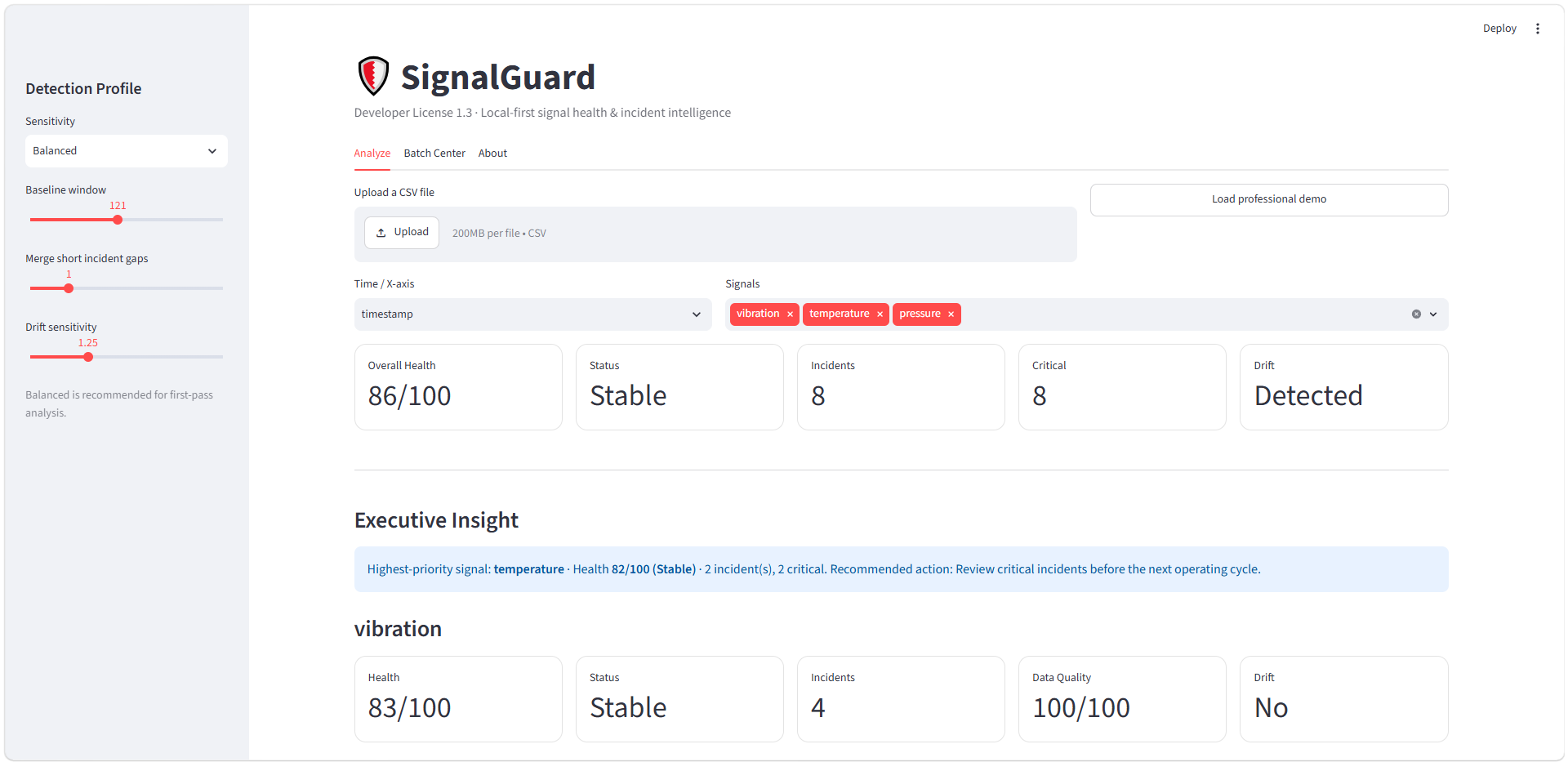
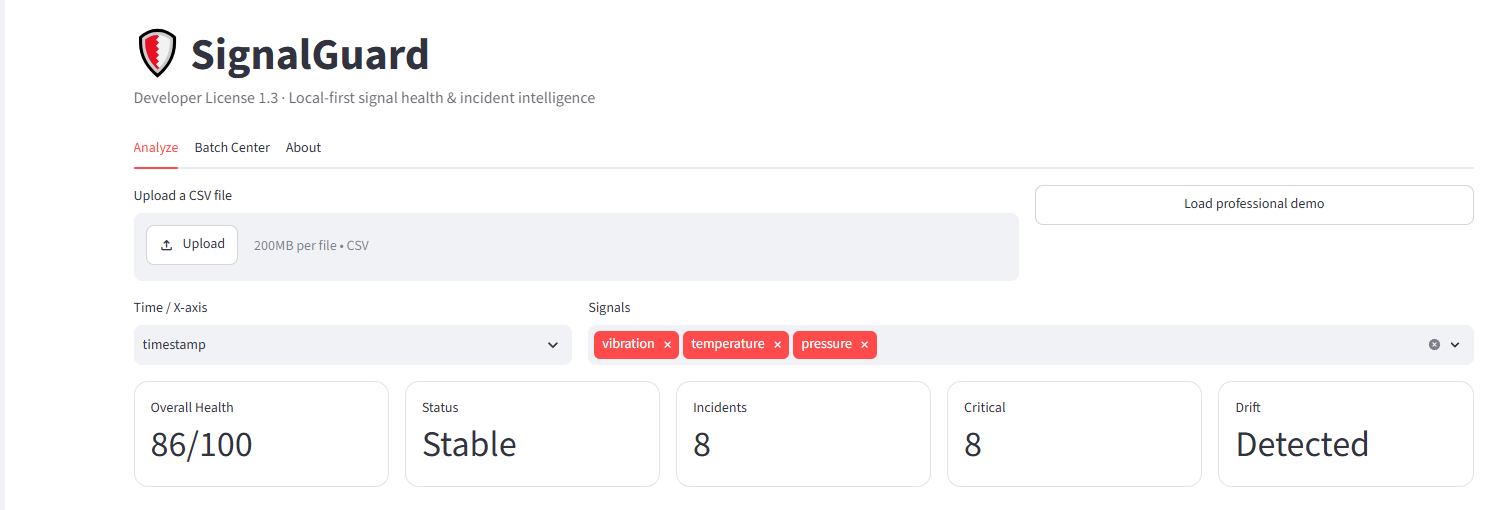
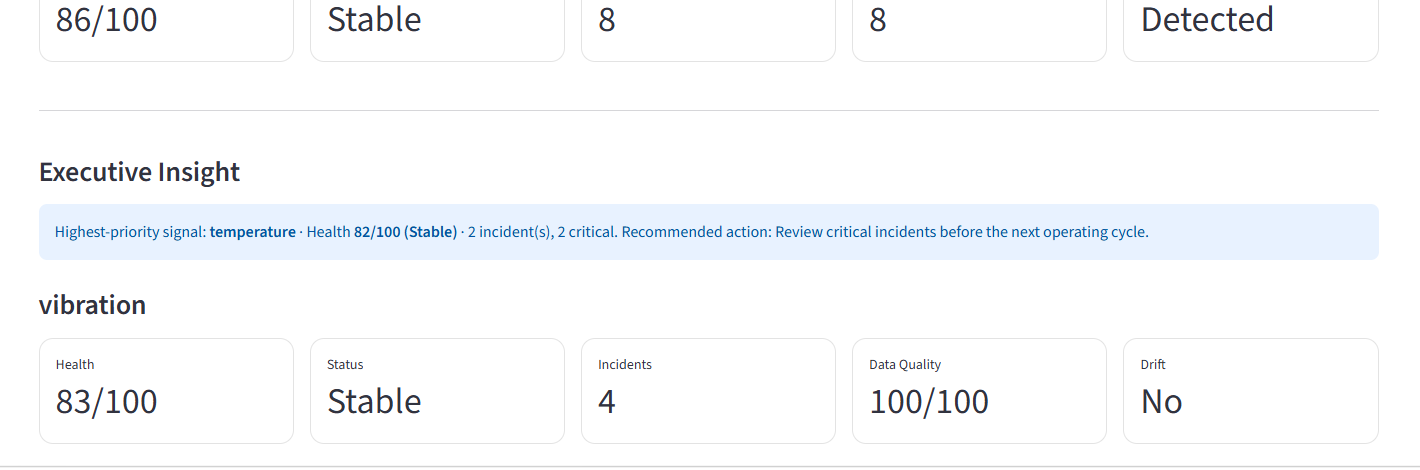
See the real SignalGuard workflow.
Actual SignalGuard screens show the product moving from uploaded engineering data to condition, incident and drift evidence.
Tested beyond the happy path.
SignalGuard has been exercised across clean data, abrupt anomalies, persistent changes, gradual drift, noisy conditions, missing data and stuck-sensor behavior.
8 incidents · 8 critical · drift detected
Normal reference → broken-blade condition · Watch · 1 critical incident · drift detected
SignalGuard can stop instead of presenting a confident-looking answer when the data is not sufficient for a defensible analysis.
Try the workflow before you install.
The public demo is intentionally limited so you can experience the product quickly. Use sample data or a small non-sensitive CSV; confidential engineering data belongs in the local desktop product.
Ready-to-install Windows software for local engineering analysis.
- Windows desktop setup
- Local data processing
- Single-file change analysis
- Normal-reference comparison
- Condition, incident, drift and data-quality views
- Documentation and sample data
Use SignalGuard across a wider organization.
Commercial licensing can be matched to deployment scope and internal use.
Bring SignalGuard into a larger solution.
Integration and OEM options are available for productized engineering and hardware workflows.